
1Why the top-ten lists do not help much
Search for pharmacy software in Kenya and you will mostly find ranked lists. They are cheap to write, they rarely say who wrote them, and the ranking usually reflects who paid or who wrote the article rather than which system suits a pharmacy in Kitengela with one till and a cashier who changes every eight months.
A better approach is to stop looking for the best system and start looking for the questions that expose a bad fit. These are the twelve we would ask if we were buying, including the ones whose honest answer costs us the sale.
In short: There is no best pharmacy system. There is a system that fits how your counter actually works.
21. What happens when the internet goes down?
This is the first question, not a technical footnote. Ask the vendor to unplug the router during the demonstration and then sell you something.
There are three honest answers, and they are very different:
- Nothing works. The system is a website. When the connection drops, the counter stops. Common, and often not disclosed until it happens on a Saturday.
- A limited offline mode. You can keep selling into a cache and it synchronises later. Ask what happens when two tills cache the same stock, and what happens if the cache is lost before it syncs.
- It runs on your computer. The application and the records are on the machine in front of you, so a connection is irrelevant to selling.
None of these is automatically right. A cloud system gives you access from home and somebody else runs the backups. The point is to know which one you are buying.
In short: Make them unplug the router mid-demo. How the system behaves in that minute is what you are actually buying.
32. Where do my records physically live?
On your computer, in a data centre in Kenya, or in a data centre somewhere else? This matters for speed, for what happens when you stop paying, and for who can read your pharmacy’s trading history. Ask to be shown the answer rather than told it.
43. Can I get everything out, in a format I can open?
The question behind the question is what happens if you leave, or if the vendor closes. A pharmacy that cannot export its own stock list, sales history and supplier records is not a customer, it is a hostage.
Ask for an export during the trial, not a promise of one. Open the file. If it arrives as a PDF report rather than a spreadsheet, that is an answer.
In short: Export your data during the trial. If you cannot, that is the finding.
54. What does it cost over five years?
Monthly pricing is easy to approve and hard to compare. Multiply by sixty, add the second till, and add whatever is charged for support or for a version upgrade. Then do the same for a one-time licence.
Neither model is a trick. A subscription buys ongoing hosting and a team on the other end of it. A one-time licence is cheaper over a long horizon and puts the upgrade risk on you. Just do the arithmetic before signing rather than after. Our own pricing page shows the five-year comparison against whatever figure you have been quoted.
65. Is it priced per computer, per user, or per branch?
A price per user punishes you for hiring. With Optima, the main computer at each pharmacy site is KES 25,000 once, and connected tills at that site use the additional-terminal price. A second site needs its own main-computer licence. Ask what happens to the price when a locum works a weekend.
76. What hardware do I actually need?
Some systems need a specific receipt printer, a particular scanner, or a machine newer than the one on your counter. Get the minimum specification in writing, and check whether the quoted price includes the hardware or assumes it.
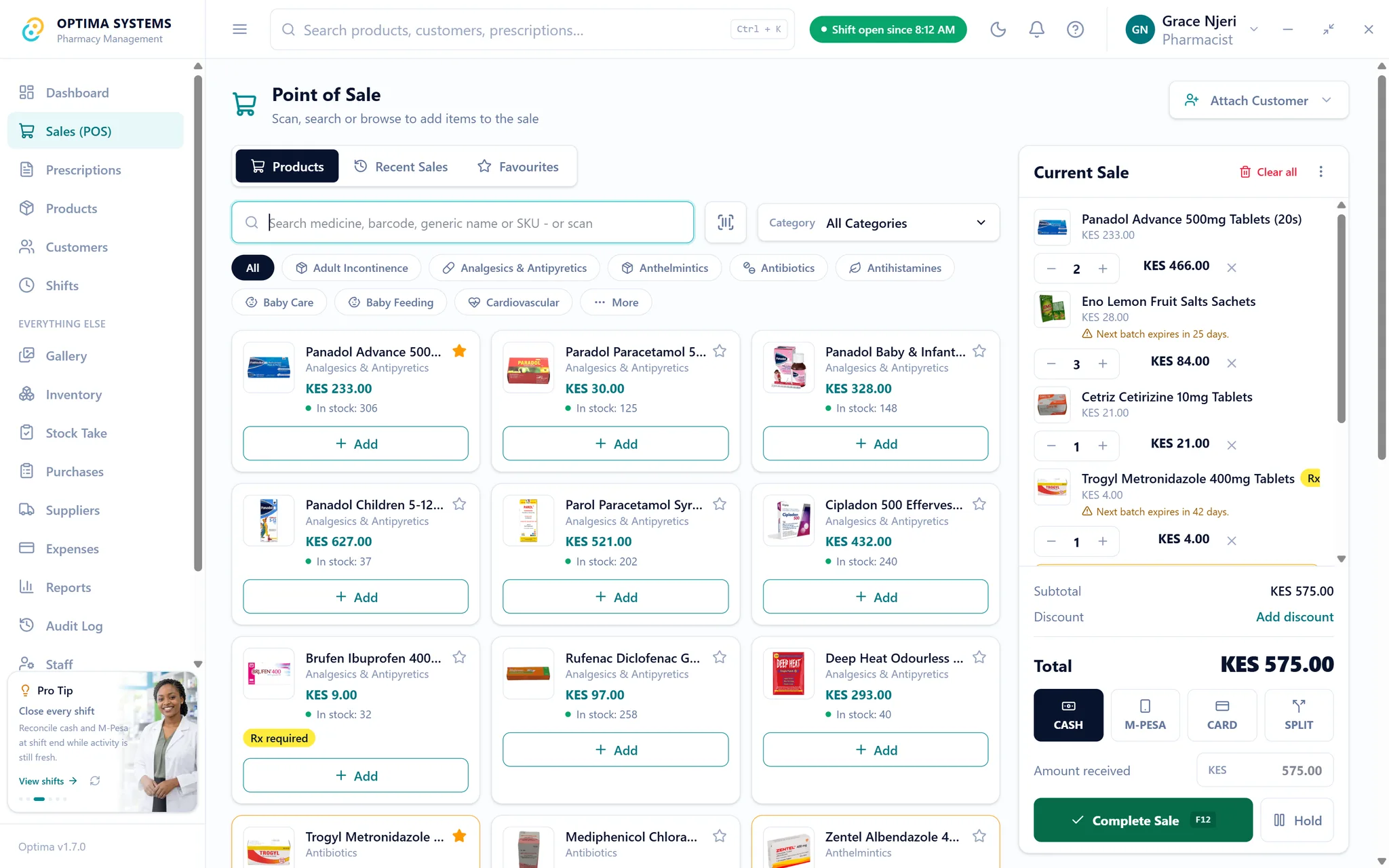
87. How does M-Pesa actually work in it?
Nearly every vendor will say M-Pesa is supported. The useful question is what that means at the counter:
- Can one sale be split between cash and M-Pesa?
- Is the payment recorded against the sale, or typed into a note?
- Does the shift reconcile cash and M-Pesa separately at closing?
A system where M-Pesa is a payment type reconciles at the end of the day. A system where it is a comment field does not.
In short: Ask to split one sale between cash and M-Pesa, then close the shift and see whether the numbers agree.
98. How does it handle batches and expiry?
Medicine is not groceries. The same product arrives in batches with different expiry dates and often different costs, and the batch that should leave the shelf first is the one expiring soonest. A system that tracks a single quantity per product cannot tell you what is about to expire.
Ask whether stock is tracked per batch, whether dispensing suggests the shortest-dated batch automatically, and whether there is a report of what expires in the next ninety days. We wrote about why this is where the money leaks in the guide on expiry and FEFO.
109. What compliance does it cover, and what does it not?
Be specific, and be suspicious of a yes. Ask separately about KRA eTIMS invoicing, about SHA claims if you intend to serve SHA members, and about the records the Pharmacy and Poisons Board expects you to keep.
A vendor who answers yes to all three without qualification is worth a second question. So is one who answers no: no system covers everything, and what matters is knowing the gaps before you meet them. Ours are set out in the eTIMS guide.
In short: Ask about eTIMS, SHA and PPB records separately. An unqualified yes to all three deserves a follow-up question.
1110. Who answers when something breaks on a Saturday?
A person, a ticket queue, or a WhatsApp number that is somebody’s personal phone? None is wrong, but they behave very differently at five on a Saturday with a queue at the counter. Ask what hours are covered and what a realistic response time looks like.
1211. What happens to me if the vendor disappears?
Small software companies close. If the system runs on your own computer and you can export your data, closure is an inconvenience. If it is hosted and you cannot, it is an emergency. This is really question two and question three asked together, and it is worth asking on its own anyway.
1312. Can I use it properly before I pay?
Not a scripted demonstration on the vendor’s sample data. A trial, on your counter, with your stock, your prices and your staff, for long enough to include a delivery, a stock count and a full week of closing the till.
Most disappointment after a purchase is something a real week would have surfaced. If a vendor will not allow one, ask yourself what the demonstration was hiding.
In short: A week on your own counter tells you more than any feature list, including this one.
14Where Optima sits, including where it does not
We build Optima, so read this section knowing that. Rather than claim it wins every question above, here is where it lands honestly.
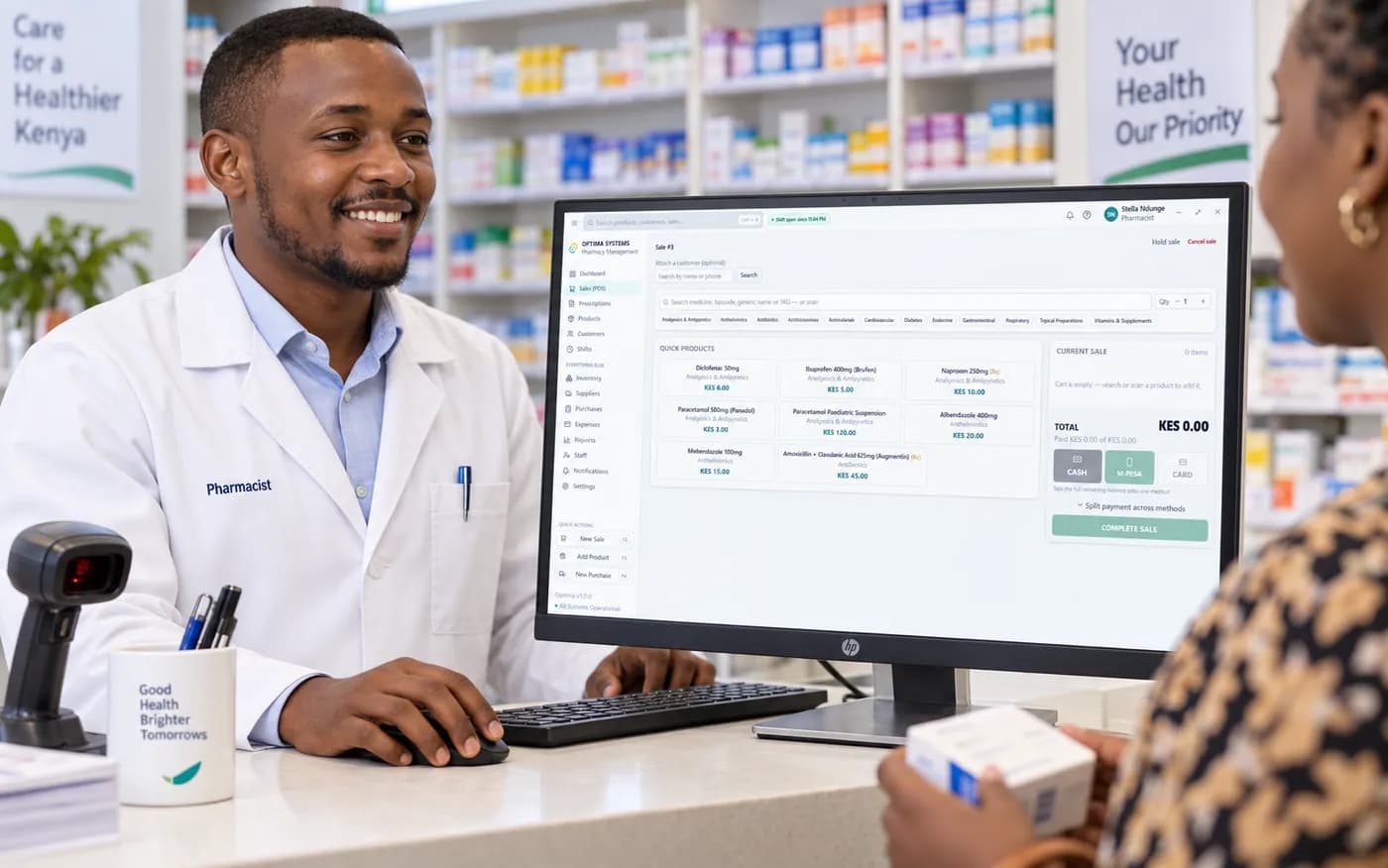
It answers question one well. Optima installs on your Windows computer and keeps its records there, so selling, receiving stock, counting stock, closing a shift and printing a report all work with the router unplugged. Extra tills talk to the main computer over your own local network, not over the internet.
Batches and expiry are the core of it, not an add-on, and dispensing follows first-expiry-first-out automatically.
It is bought once: KES 25,000 for the main computer at a pharmacy site, with a lower price for connected tills, VAT included, and lifetime updates.
What it does not do today: it does not submit invoices to KRA eTIMS yet, it does not submit SHA claims, and branches run separate copies rather than sharing one database and combined reports. If any of those three is the reason you are buying software this month, Optima is not yet the right answer, and we would rather tell you now than after you have paid.
In short: Optima is strongest on offline working, expiry control and one-time pricing. It does not do eTIMS, SHA claims or combined multi-branch reporting today.
What Optima costs
KES 25,000 once for the main computer at each pharmacy site, VAT included, with a lower price for connected tills, lifetime updates and no monthly subscription.
Read next

How pharmacies lose money to expiry, and how FEFO stops it
Expired stock is a full-cost loss, not a lost margin, which is why it hurts more than it looks. A practical routine for batch tracking, first-expiry-first-out dispensing and the monthly short-dated check.
Read it
KRA eTIMS for pharmacies, in plain language
What eTIMS is, who has to use it, and what it means for a community pharmacy in Kenya. Written without jargon, and without pretending that buying software makes the obligation go away.
Read it